The index.
Your records, read once, kept clean. Everything else is a face of it.
- Read once.
- The collection comes in from your own records: every work, its gallery, its image, its label.
- Kept clean.
- One index behind every screen. Add a work once, and it’s everywhere at once.
- Many faces.
- The guide, the entrance, the website and the console all answer from the same place.
01
One voice.
Ask in your own words, in your own language.
- What it does
- A visitor asks by voice or by typing. The guide answers: which work, who made it, where it hangs.
- Why it matters
- The question a visitor already has is the whole interface.
- What you say
- “Where is Van Gogh’s Bedroom?”
The record
It answers from the museum’s own records.
- What it does
- Every answer comes from the museum’s records, and nothing else. When the records don’t say, neither does the guide.
- Why it matters
- A guide that never invents is a guide a museum can put its name on.
- What you say
- “Do you have the Mona Lisa?” It points you to the Louvre, then to what’s here.
The label
The label, as the museum wrote it.
- What it does
- Every work opens with its label: maker, title, date, medium, credit, gallery, floor.
- Why it matters
- The wall text, without the crowd at the wall.
- What you tap
- Any work.
Languages
It answers in the visitor’s language.
- What it does
- A visitor writes in Portuguese, Spanish or French, and the guide answers in kind. In Portuguese, it speaks too. Titles stay as the museum wrote them.
- Why it matters
- Every visitor gets the same guide, not a shorter one.
- What you say
- “Onde fica o quarto de Van Gogh?”
02
In the building.
One screen at the entrance, one in every pocket, and the way to the work.
The entrance
One screen at the door.
- What it does
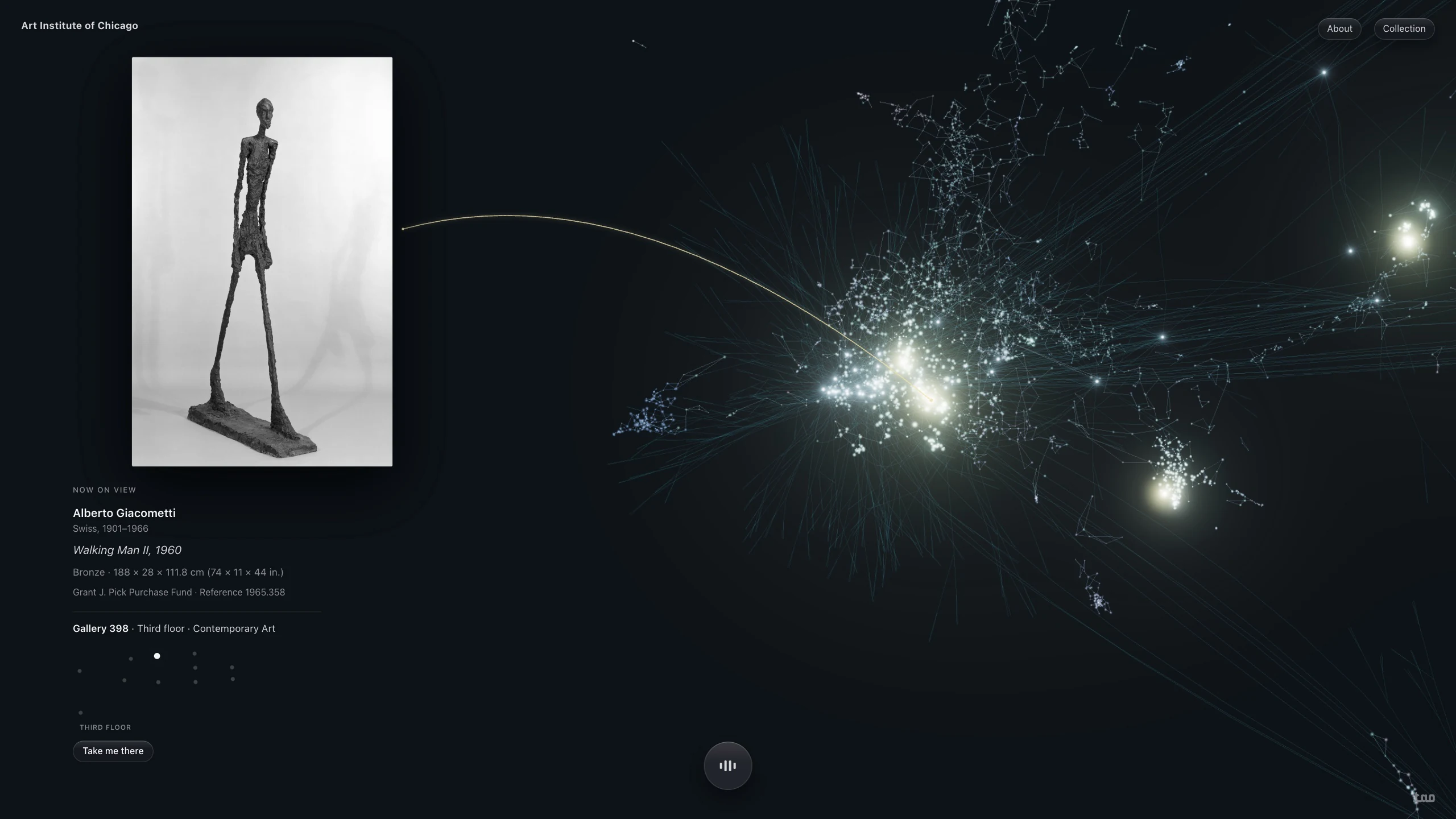
- A large screen in the entrance hall runs the same guide, by voice. Visitors ask; it answers and shows the work.
- Why it matters
- The first thing a visitor meets is the collection itself, awake.
- What you say
- “What should I see in an hour?”
The tour
Left alone, it walks the collection.
- What it does
- When no one is asking, the screen begins a slow tour: one work at a time, each with its label and its room.
- Why it matters
- The screen is never blank, and anyone who stops to watch can interrupt with a question.
- What you say
- Nothing. Or anything.
Your phone
The same guide, in every pocket.
- What it does
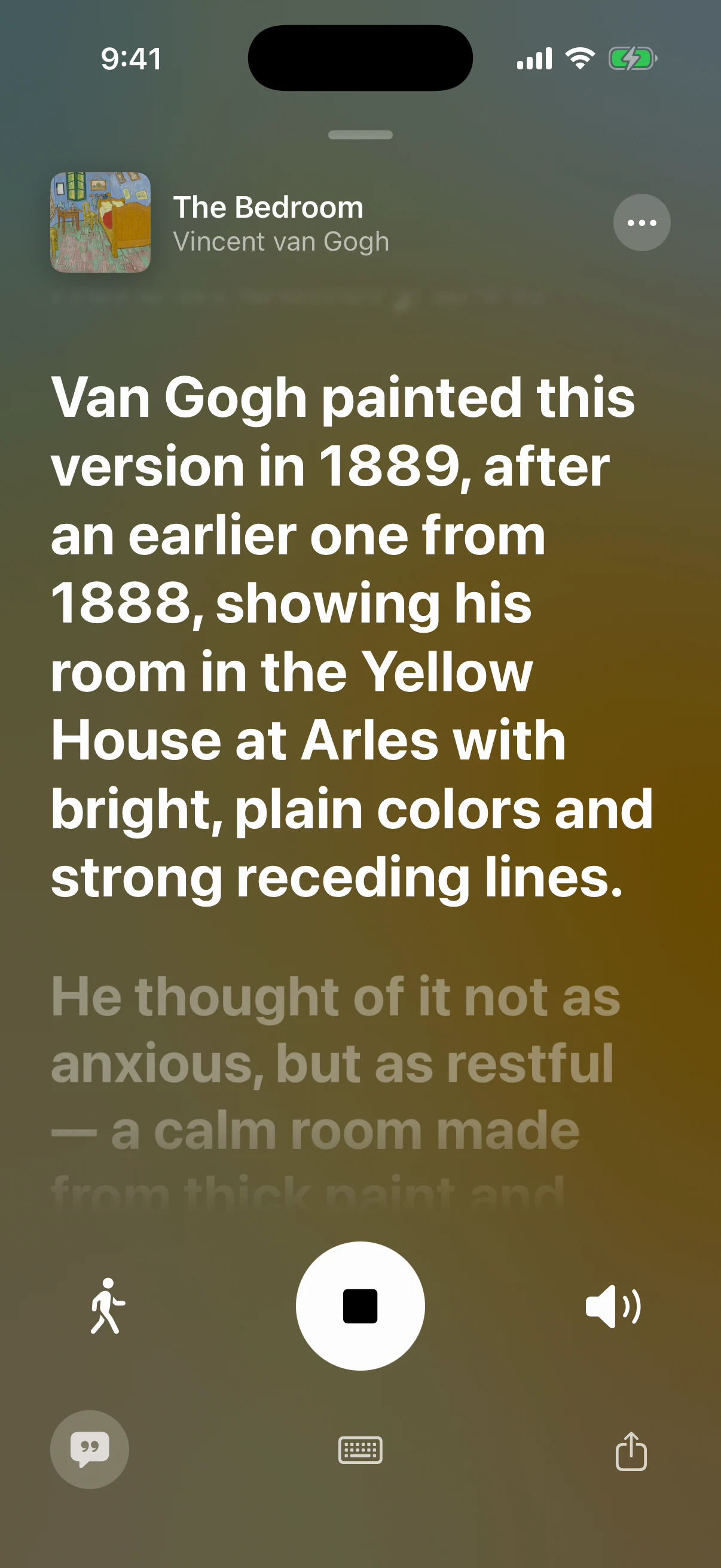
- TAO on a visitor’s own iPhone: the same guide, every work and every gallery, and the works they saved for later.
- Why it matters
- Every visitor has a guide, not only the ones who booked one.
- What you say
- “What else is in this room?”
- What it does
- Hold the phone up to a painting or its wall label. TAO recognizes the work on the phone itself, opens it, and the guide begins.
- Why it matters
- No numbers to type, no codes on the wall. Nothing leaves the phone.
- What you say
- Nothing. Just point.
The map
The building, floor by floor.
- What it does
- Every gallery as a dot, sized by what hangs in it. The room of the work you’re on is lit. Tap any room to open it.
- Why it matters
- The plan the museum prints, alive.
- What you tap
- Map.
Take me there
It knows the way.
- What it does
- Tell it where you are, and it draws the way: which galleries, which stairs, which floor. Then it says it aloud.
- Why it matters
- A map tells you where things are. A guide takes you there.
- What you tap
- From Gallery 201, then Take Me There.
03
Behind the desk.
The whole collection, organized like a music library.
The library
Every work, every room, every maker.
- What it does
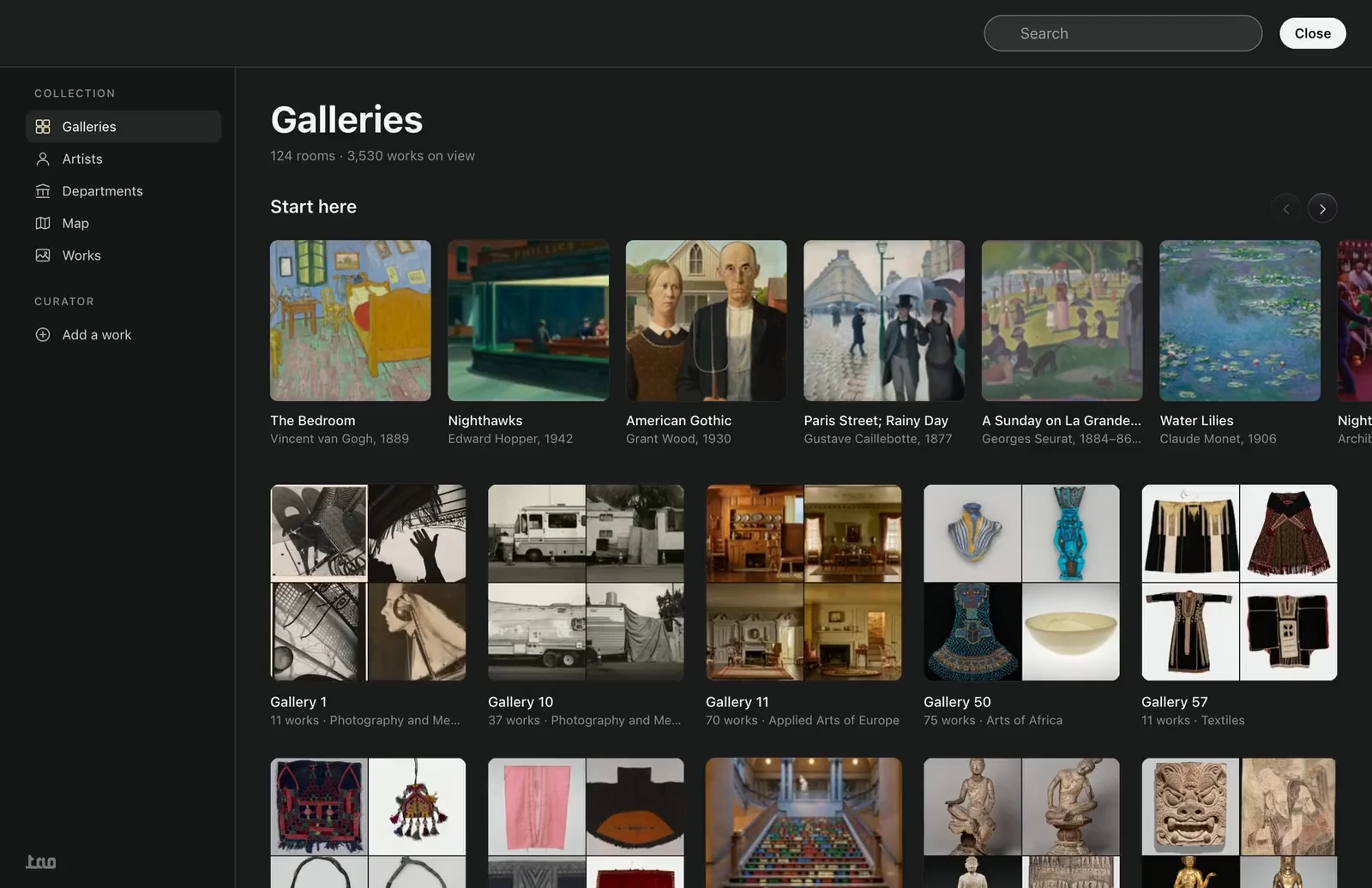
- Galleries, artists, departments and works, with covers, the way a music app lists albums. Open a work and the guide picks it up from there.
- Why it matters
- Staff and visitors browse the same collection the guide answers from.
- What you click
- Collection.
Search
Type three letters.
- What it does
- Works, artists and galleries as you type, and “Ask the collection” one row above.
- Why it matters
- Looking something up and asking about it are the same gesture.
- What you click
- Search, or ⌘K.
Add a work
A photograph and the label.
- What it does
- A curator adds a work with a photograph and its label. It joins the collection and can be asked about at once.
- Why it matters
- The guide keeps up with the galleries without a rebuild.
- What you click
- Add a work.
04
Your website.
The collection online, on the same index, on your own domain.
- The same search.
- Works, artists and galleries as you type, the way the desk has them.
- The same guide.
- A visitor at home asks the collection the question they’ll ask again at the door.
- Built with the studio.
- A new site on the index, or the index behind the site you have. Core City Studios builds it.
- Kept in step.
- What changes in the galleries changes online the same day. No second catalogue to maintain.
One mind, three faces.
The door, the phone and the desk are one guide.
- Always in step.
- One memory of the collection behind every screen. Add a work once, and it’s everywhere.
- The museum’s own words.
- Every answer stands on the museum’s records. Images and texts stay the museum’s and the artists’.
- Private by design.
- Scan reads the wall on the phone itself. Saved works and visits never leave it.
- Cared for, yearly.
- One installation, kept current as the galleries change.
What you buy.
Four lines. One system. Priced per museum, on a call.
- Pilot.
- 90 days, one gallery, on your own records.
- Installation.
- Once: the collection, the plaques, the beacons, the screen, the console.
- Care.
- Yearly. The galleries change; the guide keeps up.
- Projects.
- Your website and your building, on the same index. Priced per project.
Running today.
Built on open records, without a key from either museum.
- Art Institute of Chicago.
- 3,530 works on view, in 124 galleries.
- The Metropolitan Museum of Art.
- 33,098 works on view.
TAO is independent. It is not affiliated with or endorsed by either museum.